
A new website should bring in more enquiries, not fewer. Yet plenty of small businesses in Cardiff, Merthyr Tydfil and across South Wales launch a fresh design, then watch their Google traffic dip for weeks or months. The design usually isn't the problem. The problem is what got lost in the move: old page addresses, content Google relied on, and the signals that told it what each page was about.
The good news is that most redesign ranking drops are avoidable. This guide walks through the steps that matter, in plain English, so you can plan a redesign yourself or check that whoever builds it is covering the basics.
Why rankings drop after a website redesign
Google ranks individual pages, not "your website" as a whole. Each page builds up its own history: links from other sites, the words it uses, how people interact with it, and its position in your site's structure. When you redesign, it's easy to break that history without realising.
The most common causes are:
- Changed URLs with no redirects. If
/our-services/roofingbecomes/roofing/and nothing tells Google, the old page returns a 404 error and its rankings fade. - Removed or thinned content. A sleek new page with 80 words often can't rank for what the old 600-word page ranked for.
- Lost titles and headings. Page titles and H1s that matched what people search get replaced with vague slogans.
- Broken internal links. Menus and in-text links that pointed to key pages disappear or point to the wrong place.
- Technical slip-ups at launch. A "discourage search engines" setting left on from the test site, a missing sitemap, or a slow new theme.
None of these are about how the site looks. That's why the safest redesigns treat SEO as part of the project from day one, not something to check after launch.
Step 1: Record what you have before you change anything
Before any design work starts, take a snapshot of the current site.
List every page that matters
Export a full list of URLs. Your sitemap (often at /sitemap.xml) is a good start, and a free crawler can fill in gaps. Note which pages are services, locations, blog posts and contact pages.
Find the pages that actually bring in traffic
Open Google Search Console and look at the Performance report for the last few months. Sort by clicks and impressions, and note:
- the pages that get the most clicks
- the search terms each one shows up for
- pages sitting on page one or two of Google, as these are the ones most worth protecting
If you don't have Search Console set up, set it up now. It's free, and it's the most reliable record of how Google sees your site.
Save titles, headings and key content
For your important pages, keep a copy of the page title, meta description, H1 and main body text. You don't have to keep them word for word, but you need to know what they covered so the new version doesn't lose that relevance.
Step 2: Plan your new structure and map old URLs to new ones
This is the step that protects rankings more than any other.
Keep URLs the same where you can
If an old URL is clean and makes sense, keep it. The fewer addresses that change, the less can go wrong.
Build a redirect map for everything that changes
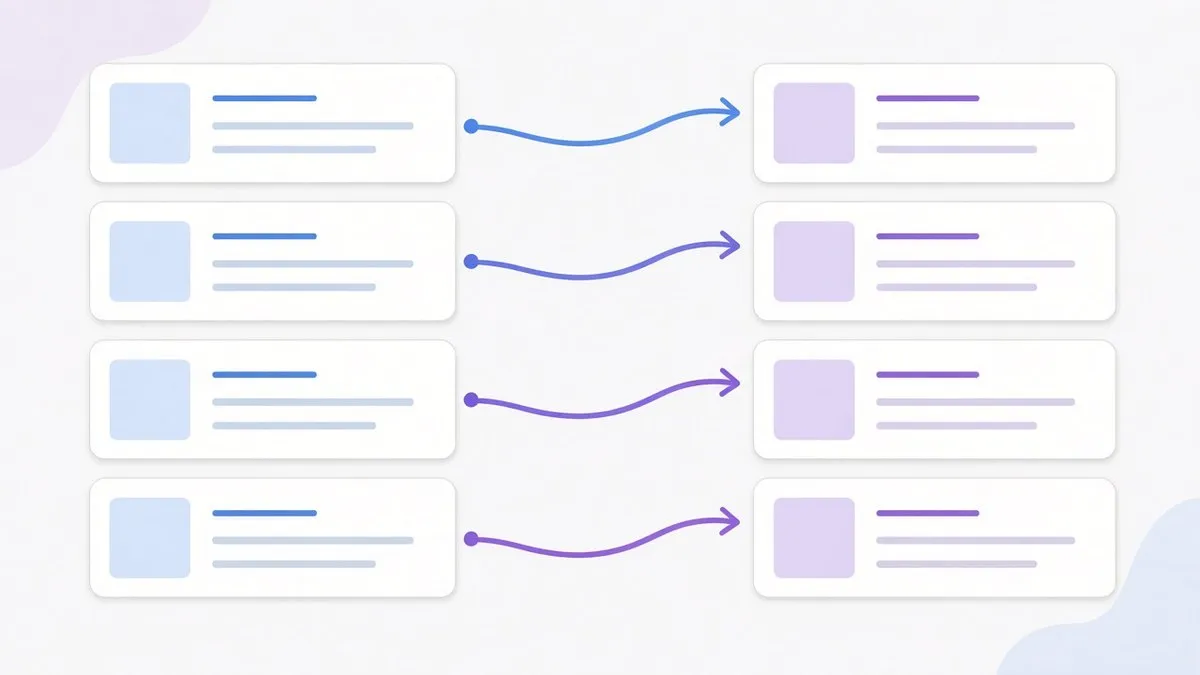
Make a simple spreadsheet with two columns: old URL and new URL. Every old page that has traffic, rankings or links pointing at it needs a matching new page.
- Point each old page to the closest equivalent new page, not the homepage.
- If two old pages are being merged, redirect both to the new combined page.
- If a page is genuinely being removed and has nothing relevant to replace it, it's fine to let it go, but check it has no traffic or links first.
Use 301 redirects
A 301 redirect tells browsers and Google that a page has moved permanently. On WordPress, a redirect plugin or your host's settings can handle this. On other platforms it's usually a redirects file or setting. Avoid redirect chains (A to B to C) by pointing old URLs straight to their final destination.
Step 3: Carry your content and on-page SEO across
A redesign is a good chance to improve content, but don't strip out what was working.
- Keep the substance. If an old service page ranked well with a detailed explanation, FAQs and local detail, the new page should cover at least as much.
- Keep clear titles and H1s. "Roof Repairs in Merthyr Tydfil" will always beat "Quality You Can Trust" for search.
- Keep location signals honest and useful. Mention the areas you genuinely serve, such as Cardiff, Merthyr Tydfil, Pontypridd or the wider South Wales area, where it's natural.
- Rebuild internal links. Make sure your main services and location pages are linked from the menu, footer or related content.
- Carry over image alt text and make sure images are compressed so the new design doesn't slow the site down.
Step 4: Test on a staging site before launch
Build and review the new site somewhere private first, usually a staging copy. While it's in staging, it should be hidden from Google so it doesn't get indexed as a duplicate.
Before you go live, check:
- every URL in your redirect map works and lands on the right page
- forms, phone links and booking tools work on mobile and desktop
- page speed is at least as good as the old site
- each page has a unique title and meta description
- there are no broken links or missing images
Step 5: Launch day checklist
Launch when you can keep an eye on things, ideally early in the week rather than on a Friday afternoon. Then run through this list:
- Turn off any "noindex" or "discourage search engines" setting from staging. This single tick box causes more redesign disasters than anything else.
- Put the redirects live and spot-check a sample of old URLs.
- Submit the new XML sitemap in Google Search Console.
- Use URL Inspection in Search Console on your most important pages and request indexing.
- Check analytics and tracking are installed and recording visits and enquiries.
- Update your Google Business Profile website link if your homepage or contact page address has changed.
Step 6: Monitor for the first few weeks

Some movement in the first couple of weeks is normal while Google recrawls the site. What you're watching for is a drop that doesn't recover.
In Google Search Console, check weekly:
- Pages report for new "Not found (404)" errors, and add redirects for any that matter
- Performance report comparing clicks and impressions with the same period before launch
- Your key search terms, to see whether the pages you protected are holding position
If a specific page drops sharply, compare the old and new versions. Missing content, a changed title or a broken redirect is usually the cause, and usually fixable.
Our guide on improving your website's SEO after launch covers what to do next once things settle.
When a redesign is worth doing
A redesign makes sense when your site is slow, hard to use on a phone, difficult for you to update, or simply doesn't reflect the business any more. If it's ranking well but looks dated, a careful redesign that keeps the structure and content can give you both: a better experience for visitors and the rankings you've already earned.
If you're weighing up a redesign, NC Digital's web design service covers planning, building and launching WordPress sites, and we can map your redirects and check Search Console as part of a redesign. Multi-page WordPress websites start from £600 including VAT, with no contract on builds. You can read more about our web design in Cardiff, or if you're based in the Valleys, our web design in Merthyr Tydfil page.
Frequently asked questions
Will I lose my Google rankings if I redesign my website?
Not if it's planned properly. Keeping important URLs, redirecting the ones that change, and carrying your content and page titles across protects most of your rankings. Small fluctuations in the first few weeks are normal.
How long does it take for rankings to settle after a redesign?
It varies with the size of the site and how much changed. On a small business site with good redirects, things often settle within a few weeks. Search Console will show you whether your key pages are recovering.
Do I need 301 redirects if I'm keeping the same domain?
Yes, for any page whose address changes. The domain staying the same doesn't help if /services.html becomes /services/. Google treats those as different pages.
Should I redesign and change my domain name at the same time?
It's safer to do one big change at a time. A domain change adds another layer of risk, so if you need both, plan carefully and consider spacing them out.
Can I redesign my website myself without hurting SEO?
You can, if you follow the steps above: record your current pages, map and redirect changed URLs, keep your content and titles, and check Search Console after launch. If you're short on time, it's worth asking a web designer to handle the redirects and launch checks.
What's the difference between a redesign and a refresh?
A refresh usually keeps the same structure and updates the look, which carries less SEO risk. A full redesign often changes page structure and URLs, so redirect planning matters much more.